On this page (109)
- What Is an AI Customer Service Agent?
- Why Are Businesses Using AI for Customer Service?
- The goal is not simply fewer employees.
- What Can an AI Customer Service Agent Do?
- 1. Answer Customer Questions
- 2. Handle Repetitive Requests
- 3. Provide Support Outside Business Hours
- 4. Collect Information
- 5. Route Complex Conversations
- 6. Support Voice Conversations
- AI Customer Service Agent vs Traditional Chatbot
- How Does an AI Customer Service Agent Work?
- Step 1: The Customer Starts a Conversation
- Step 2: The AI Understands the Request
- Step 3: The Agent Retrieves Relevant Information
- Step 4: The Agent Determines the Next Step
- Step 5: The Customer Receives an Outcome
- The Difference Between Answering and Resolving
- Experience A
- Experience B
- What Are the Benefits of an AI Customer Service Agent?
- 24/7 Availability
- Faster Initial Responses
- Reduced Repetitive Work
- More Consistent Information
- Better Scalability
- More Convenient Customer Experiences
- Human Teams Can Focus on High-Value Work
- AI Customer Service Does Not Mean "No Humans"
- "How do we prevent customers from reaching humans?"
- "How do we get every customer to the right level of support as efficiently as possible?"
- When Should an AI Agent Escalate to a Human?
- The AI Does Not Know
- The Customer Is Frustrated
- The Request Is Sensitive
- The Customer Requests a Human
- The AI Reaches a Workflow Boundary
- AI Customer Service Agent Use Cases
- E-commerce
- Home Services
- Healthcare and Dental
- Real Estate
- Professional Services
- SaaS Companies
- Local Businesses
- Voice AI vs Text AI for Customer Service
- How Much Does an AI Customer Service Agent Cost?
- How to Calculate the Potential ROI
- Start With Your Current Volume
- Customer interactions per month
- Percentage that are repetitive
- Interactions suitable for AI
- Average human handling cost
- Potential workload affected
- AI platform and usage cost
- What Should You Look for in an AI Customer Service Agent?
- 1. Can it use my actual business knowledge?
- 2. How does it handle unknown questions?
- 3. Can it escalate to humans?
- 4. Can it handle multi-step conversations?
- 5. Does it support the channels my customers use?
- 6. Can it take actions?
- 7. Can conversations be monitored?
- 8. How is customer data protected?
- 9. Can the knowledge be updated?
- 10. Can performance be measured?
- 7 Questions to Ask Before Buying an AI Customer Service Agent
- 1. What percentage of our conversations are genuinely suitable for automation?
- 2. What happens when the AI is uncertain?
- 3. Can customers reach a human easily?
- 4. What systems does the agent need access to?
- 5. What does success look like?
- 6. What is the total cost?
- 7. Can we start with one use case?
- Common AI Customer Service Mistakes
- Automating Before Understanding the Workflow
- Giving AI Too Much Freedom
- Using Outdated Knowledge
- Hiding the Human Option
- Measuring Only Deflection
- Treating Every Customer Like a FAQ
- Ignoring Voice
- What Makes an AI Customer Service Agent Good?
- Useful
- Accurate
- Conversational
- Transparent
- Controlled
- Escalatable
- Measurable
- Where My Call Pilot Fits
- "Does it use AI?"
- "Can it handle the customer interactions I actually need automated?"
- Explore My Call Pilot
- When AI Customer Service Is Not the Right Choice
- The Best Customer Service Model Is Often Hybrid
- AI vs humans
- AI + humans
- Frequently Asked Questions
- What is an AI customer service agent?
- Is an AI customer service agent the same as a chatbot?
- Can AI customer service agents replace human agents?
- Can an AI customer service agent work 24/7?
- Can an AI customer service agent handle phone calls?
- How does an AI agent know what to tell customers?
- What happens if the AI does not know the answer?
- Is AI customer service worth it for a small business?
- How should a business start with AI customer service?
- Make Customer Service Easier to Scale
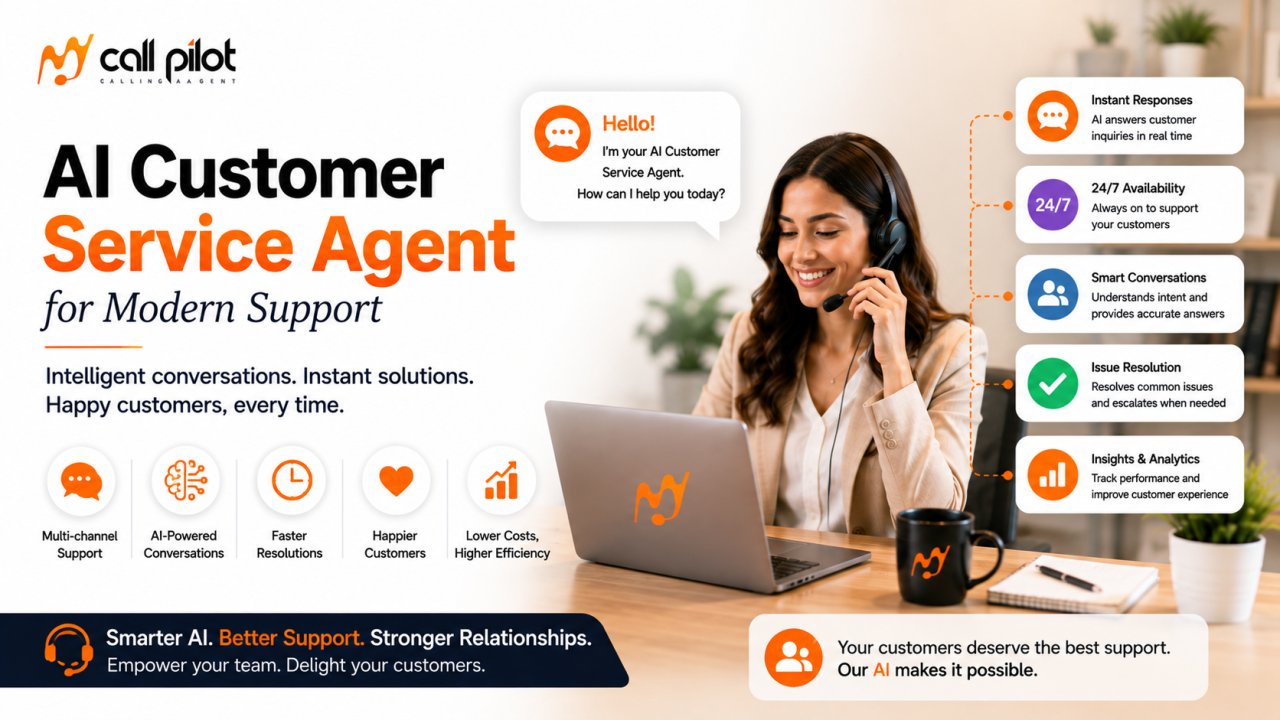
AI customer service agent technology helps businesses handle customer questions, requests, and routine support interactions with faster, more consistent assistance while giving human teams more time for conversations that require judgment.
Customers increasingly expect support to be available when they need it—not only when a support representative happens to be available.
An AI customer service agent can help bridge that gap.
Instead of simply displaying a list of answers, modern AI agents can understand conversational requests, retrieve relevant information, guide customers through processes, and, depending on the system and configuration, take actions or escalate conversations to human staff.
For businesses, that creates a more scalable way to deliver customer service without forcing every interaction through a human support queue.
What Is an AI Customer Service Agent?
An AI customer service agent is an AI-powered system designed to interact with customers, understand their requests, provide relevant information, and complete defined support tasks.
Unlike a traditional chatbot that may rely heavily on fixed decision trees, an AI agent can use natural-language understanding and business knowledge to interpret a customer's request and determine an appropriate response or next step.
Depending on its configuration, an AI customer service agent may support:
-
Frequently asked questions
-
Product and service information
-
Order or appointment inquiries
-
Basic troubleshooting
-
Customer qualification
-
Information collection
-
Support request routing
-
Status inquiries
-
After-hours assistance
-
Appointment-related conversations
-
Human-agent escalation
The important distinction is this:
A customer service bot provides responses. An AI customer service agent is designed to help move the customer toward resolution.
That difference matters when evaluating AI support software.
Why Are Businesses Using AI for Customer Service?
Customer expectations have changed.
People are accustomed to instant answers from search engines, digital assistants, messaging apps, and AI tools. Waiting in a queue or repeating the same question multiple times can feel unnecessarily difficult.
Zendesk's 2026 customer-experience research reported that 81% of consumers believe AI has become part of modern customer service, reflecting how quickly AI has moved from novelty toward customer expectation.
At the same time, customer service teams still have to deal with repetitive requests.
That creates an obvious opportunity for automation.
An AI customer service agent can handle appropriate routine interactions while human employees focus on cases where human judgment, empathy, negotiation, or specialized expertise is genuinely valuable.
The goal is not simply fewer employees.
The better goal is:
More customer problems resolved with less unnecessary friction.
What Can an AI Customer Service Agent Do?
The exact capabilities depend on the platform, integrations, knowledge sources, and workflows configured for the business.
However, a well-designed AI customer service agent can support several common functions.
1. Answer Customer Questions
AI can respond to common questions using approved business information.
For example:
-
What are your business hours?
-
Where are you located?
-
What services do you offer?
-
How does this product work?
-
What is your cancellation policy?
-
How can I schedule an appointment?
The quality of the answer depends heavily on the quality and freshness of the information available to the AI.
2. Handle Repetitive Requests
Customer support teams often spend significant time answering variations of the same questions.
AI can handle suitable repetitive interactions so employees do not have to manually respond to every basic request.
3. Provide Support Outside Business Hours
An AI agent can provide a customer-facing support layer beyond normal staffing hours, depending on how the system is deployed.
That can be particularly useful for businesses with customers in different time zones or customers who need help evenings and weekends.
4. Collect Information
Instead of asking customers to submit a generic form, an AI agent can have a conversation and collect the information required for the next step.
For example:
Customer: "My order hasn't arrived."
The agent can gather relevant details and determine what type of support is required.
5. Route Complex Conversations
Not every customer interaction should be automated.
A strong AI customer service strategy includes clear escalation rules.
When the conversation requires a human, the AI should help move the customer toward the appropriate person instead of creating another barrier.
6. Support Voice Conversations
Voice AI can extend customer-service automation to phone interactions.
This is especially important for customers who prefer speaking rather than typing or who are dealing with questions that are easier to explain conversationally.
Zendesk's 2025 CX research found that half of surveyed consumers had already engaged with Voice AI and highlighted voice as an increasingly important channel for complex customer interactions.
AI Customer Service Agent vs Traditional Chatbot
These terms are sometimes used interchangeably, but they do not necessarily describe the same experience.
| Capability | Traditional Chatbot | AI Customer Service Agent |
|---|---|---|
| Fixed FAQs | Strong | Strong |
| Natural conversation | Limited to moderate | Stronger |
| Understands varied wording | Variable | Generally stronger |
| Uses business knowledge | Usually | Yes, when connected |
| Handles multi-step requests | Limited | More capable |
| Takes actions | Usually limited | Possible, depending on configuration |
| Human escalation | Possible | Important capability |
| Voice support | Usually separate | Possible |
| Personalization | Limited | Possible with relevant context |
| Complex workflows | Limited | More suitable |
The key question is not whether a product calls itself an "AI agent."
Ask:
What can it actually do after understanding the customer's request?
How Does an AI Customer Service Agent Work?
A typical AI customer-service interaction can be understood as a series of steps.
Step 1: The Customer Starts a Conversation
The interaction might happen through a supported text or voice channel.
Step 2: The AI Understands the Request
The system analyzes what the customer is asking rather than relying solely on exact keywords.
For example:
"I need to move my appointment to next week."
The important information is not just the word "appointment."
The customer's intent is to change an existing appointment.
Step 3: The Agent Retrieves Relevant Information
The AI may consult approved business knowledge, policies, customer context, or connected systems.
Step 4: The Agent Determines the Next Step
Depending on the workflow, the agent may:
-
Answer the question
-
Ask for missing information
-
Guide the customer through a process
-
Perform an available action
-
Collect information
-
Escalate to a human
Step 5: The Customer Receives an Outcome
The interaction should end with a useful next step—not simply another AI-generated paragraph.
That is one of the biggest differences between AI-generated answers and AI-powered customer service.
The Difference Between Answering and Resolving
A customer does not necessarily care whether the response was generated by AI.
They care whether their problem was solved.
Consider two experiences.
Experience A
Customer:
"I need to change my appointment."
AI:
"Appointments can be changed by contacting our office."
The answer may be technically correct.
But the customer still has work to do.
Experience B
Customer:
"I need to change my appointment."
AI:
"Sure. I can help with that. What day would you prefer?"
The second experience moves the conversation toward resolution.
This leads to an important buying principle:
Evaluate AI customer service agents by outcomes, not just response quality.
What Are the Benefits of an AI Customer Service Agent?
24/7 Availability
Customers do not always contact businesses during convenient hours.
An AI agent can provide a support layer when human teams are unavailable, depending on deployment.
Faster Initial Responses
Customers can receive an immediate response instead of waiting for an employee to become available.
Reduced Repetitive Work
Human agents can spend less time answering routine questions and more time handling complex cases.
Zendesk reported that 83% of agents using Zendesk AI said it significantly improved their job performance in its 2025 research.
More Consistent Information
When the AI is grounded in approved business information, it can provide consistent responses to common questions.
Better Scalability
A business can potentially handle more simultaneous customer interactions without increasing human staffing at exactly the same rate.
More Convenient Customer Experiences
Customers can ask questions conversationally rather than navigating complicated menus or searching through large help centers.
Human Teams Can Focus on High-Value Work
AI does not have to mean removing people from customer service.
A better model is often:
AI handles appropriate routine work → humans handle exceptions and complex conversations.
AI Customer Service Does Not Mean "No Humans"
One of the most important mistakes businesses can make is treating human escalation as a failure.
It is not.
Some conversations are inherently better suited to people.
Examples include:
-
Sensitive complaints
-
Complex disputes
-
Negotiations
-
Unusual requests
-
High-value customers
-
Situations requiring discretion
-
Cases outside the AI's approved knowledge
-
Customers who explicitly request human assistance
Gartner's 2026 research specifically found that customers expect the option to reach a human agent when companies use AI in customer service.
The best customer-service architecture therefore does not ask:
"How do we prevent customers from reaching humans?"
It asks:
"How do we get every customer to the right level of support as efficiently as possible?"
When Should an AI Agent Escalate to a Human?
Businesses should establish escalation rules before deploying an AI customer service agent.
Useful triggers can include:
The AI Does Not Know
If the available information is insufficient, the agent should not invent an answer.
The Customer Is Frustrated
Repeated misunderstandings can be a signal to involve a human.
The Request Is Sensitive
Certain complaints, disputes, or account issues may require human judgment.
The Customer Requests a Human
The escalation process should be straightforward.
The AI Reaches a Workflow Boundary
If the agent cannot safely complete an action, it should explain the next step rather than pretending it completed the task.
AI Customer Service Agent Use Cases
E-commerce
AI can help answer product questions, explain policies, provide order-related assistance, and route more complicated issues.
Home Services
Customers may need information about services, availability, appointments, or next steps.
Healthcare and Dental
AI may assist with appropriate administrative inquiries, scheduling-related conversations, and information requests, subject to the organization's requirements and compliance obligations.
Real Estate
AI can respond to initial inquiries, collect lead information, and help route prospects.
Professional Services
AI can answer common questions and collect initial information before a staff member takes over.
SaaS Companies
AI can help customers navigate product questions, troubleshooting resources, and support workflows.
Local Businesses
Businesses that receive frequent calls or messages can use AI to provide faster initial assistance and reduce repetitive interruptions.
The right use case is usually one where the business has:
-
High interaction volume
-
Repetitive questions
-
Clearly defined answers or workflows
-
A measurable cost of slow response
-
A sensible escalation path
Voice AI vs Text AI for Customer Service
Text-based AI is useful when customers prefer messaging or self-service.
Voice AI is useful when customers want to talk.
The choice does not have to be either/or.
| Factor | Text AI | Voice AI |
|---|---|---|
| Messaging support | Excellent | Not applicable |
| Phone support | Limited | Excellent |
| Complex verbal explanations | Moderate | Strong |
| Accessibility for callers | Limited | Strong |
| Written records | Natural | Requires transcription/logging |
| Customer preference | Depends on audience | Important for phone-first businesses |
| Best use | Chat, web, messaging | Calls and conversational support |
A strong customer-service strategy should begin with how customers already prefer to communicate, rather than forcing every customer into the same channel.
How Much Does an AI Customer Service Agent Cost?
There is no single market price.
AI customer service software can use different pricing models, including:
-
Monthly subscriptions
-
Per-user pricing
-
Per-conversation pricing
-
Per-resolution pricing
-
Per-minute voice pricing
-
Usage-based pricing
-
Enterprise contracts
-
Setup or implementation fees
Voice systems can also have separate telephony and usage costs.
When comparing providers, don't look only at the headline subscription price.
Calculate:
Software cost + usage cost + implementation cost + integration cost + human escalation cost
Then compare that against the value of the customer-service work being automated or accelerated.
My Call Pilot pricing should be confirmed directly before publication rather than estimated or presented as a factual figure.
How to Calculate the Potential ROI
Avoid promising a specific return.
Instead, build a simple business case.
Start With Your Current Volume
Customer interactions per month
↓
Percentage that are repetitive
↓
Interactions suitable for AI
↓
Average human handling cost
↓
Potential workload affected
↓
AI platform and usage cost
This gives the business a starting point for evaluating whether automation makes financial sense.
You can also measure:
-
Average response time
-
First-contact resolution
-
Escalation rate
-
Customer satisfaction
-
Resolution time
-
Cost per interaction
-
Abandoned conversations
-
Human-agent workload
-
After-hours inquiries
The goal is not to prove that AI will always be cheaper.
The goal is to determine whether it produces enough operational or customer value to justify the investment.
What Should You Look for in an AI Customer Service Agent?
Before buying, ask these questions.
1. Can it use my actual business knowledge?
A generic language model does not automatically understand your company's policies, products, services, or processes.
2. How does it handle unknown questions?
A trustworthy system needs a clear strategy for uncertainty.
3. Can it escalate to humans?
Human handoff should be part of the design, not an afterthought.
4. Can it handle multi-step conversations?
Real customer requests are rarely one question followed by one answer.
5. Does it support the channels my customers use?
Consider phone, website chat, messaging, and other relevant channels.
6. Can it take actions?
There is a major difference between an agent that says what customers should do and one that can actually execute approved workflows.
7. Can conversations be monitored?
Businesses need visibility into what the AI is doing.
8. How is customer data protected?
Review data handling, access controls, retention, compliance requirements, and vendor policies before deployment.
9. Can the knowledge be updated?
Outdated AI answers can be worse than no answer.
10. Can performance be measured?
If you cannot measure outcomes, it becomes difficult to prove whether the system is improving customer service.
7 Questions to Ask Before Buying an AI Customer Service Agent
1. What percentage of our conversations are genuinely suitable for automation?
Don't automate everything simply because automation is possible.
2. What happens when the AI is uncertain?
A controlled escalation is preferable to an invented answer.
3. Can customers reach a human easily?
They should not feel trapped inside an automated system.
4. What systems does the agent need access to?
Map the required customer data and business workflows before choosing a platform.
5. What does success look like?
Define measurable goals before deployment.
6. What is the total cost?
Include usage, integrations, implementation, and human escalation.
7. Can we start with one use case?
A focused pilot often provides better evidence than attempting to automate the entire support operation immediately.
Common AI Customer Service Mistakes
Automating Before Understanding the Workflow
AI cannot fix a fundamentally broken support process.
Giving AI Too Much Freedom
Agents should have clearly defined permissions and boundaries.
Using Outdated Knowledge
Incorrect information damages trust quickly.
Hiding the Human Option
Customers should have a reasonable path to human assistance.
Measuring Only Deflection
A high deflection rate is not automatically a good result.
If customers are being prevented from reaching humans but their problems remain unresolved, the metric is misleading.
Treating Every Customer Like a FAQ
Customers have context, history, and different levels of urgency.
Ignoring Voice
For phone-first businesses, text-only automation may leave an important part of the customer journey untouched.
What Makes an AI Customer Service Agent Good?
A good AI customer service agent should be:
Useful
It should move customers toward an answer or resolution.
Accurate
It should use reliable business information.
Conversational
Customers should not have to phrase questions in a machine-friendly way.
Transparent
Customers should understand when they are interacting with automation where appropriate.
Controlled
The AI should operate within defined permissions.
Escalatable
Human support should remain available when needed.
Measurable
Businesses should be able to evaluate whether the system is improving customer service.
Where My Call Pilot Fits
My Call Pilot is positioned around AI-powered customer communication, with the broader opportunity being to help businesses manage customer interactions through AI rather than relying entirely on manual handling.
For a business evaluating My Call Pilot, the most important question is not simply:
"Does it use AI?"
The better question is:
"Can it handle the customer interactions I actually need automated?"
Your implementation should be evaluated around your specific workflows, channels, knowledge requirements, escalation process, and business goals.
Because product capabilities, integrations, and pricing can change, confirm the current My Call Pilot configuration before making a purchasing decision.
Explore My Call Pilot
When AI Customer Service Is Not the Right Choice
AI is not automatically the best solution for every support environment.
It may be a poor fit when:
-
Customer interactions are almost entirely unique
-
Every conversation requires expert judgment
-
Business information changes too rapidly to maintain reliably
-
There is no clear escalation process
-
Customers strongly prefer human-only service
-
The business cannot establish appropriate data controls
-
The expected interaction volume is too low to justify implementation
AI should solve a real operational problem.
It should not be deployed simply because competitors are using it.
The Best Customer Service Model Is Often Hybrid
The strongest approach for many businesses is not:
AI vs humans
It is:
AI + humans
AI can handle appropriate first-line interactions.
Human agents can handle exceptions.
AI can collect context.
Humans can make nuanced decisions.
AI can provide immediate assistance.
Humans can provide empathy, judgment, and accountability when those qualities matter most.
That creates a more practical model for scaling customer service.
Frequently Asked Questions
What is an AI customer service agent?
An AI customer service agent is software that uses artificial intelligence to interact with customers, understand requests, provide relevant information, and support defined service workflows. Depending on its configuration, it can answer questions, collect information, assist with routine tasks, and escalate conversations to human representatives.
Is an AI customer service agent the same as a chatbot?
Not necessarily. A chatbot may primarily provide predefined answers or conversational responses. An AI customer service agent can be designed to understand intent, use business knowledge, follow workflows, perform approved actions, and escalate issues. The actual capabilities depend on the platform and configuration.
Can AI customer service agents replace human agents?
They can automate some customer-service tasks, but they do not eliminate the need for human judgment in every business. Complex, sensitive, unusual, or escalated interactions may still require people. The more practical approach is often to use AI for appropriate routine work and humans for higher-value cases.
Can an AI customer service agent work 24/7?
AI systems can provide customer-facing assistance outside normal staffing hours when deployed for continuous availability. The exact availability depends on the platform, infrastructure, channels, and business configuration.
Can an AI customer service agent handle phone calls?
Some AI customer service platforms support voice interactions. Voice AI can allow customers to speak naturally with an automated agent rather than relying only on text chat. The exact voice capabilities should be confirmed for the specific provider and configuration.
How does an AI agent know what to tell customers?
AI customer service systems can be connected to approved business information such as knowledge bases, documentation, policies, and other data sources. The quality of the resulting answers depends on the accuracy, relevance, permissions, and maintenance of those sources.
What happens if the AI does not know the answer?
A well-designed system should have an uncertainty and escalation strategy rather than inventing information. Depending on the workflow, it may ask for clarification, provide a limited response, collect information, or transfer the issue to a human.
Is AI customer service worth it for a small business?
It can be, particularly when a business receives repetitive customer requests, depends heavily on phone or messaging support, or needs assistance outside normal working hours. The right decision depends on interaction volume, automation potential, customer expectations, implementation cost, and measurable business value.
How should a business start with AI customer service?
Start with a clearly defined, repetitive use case. Measure current interaction volume, resolution time, response time, escalation rates, and support costs. Then test the AI against real customer scenarios before expanding to more complex workflows.
Make Customer Service Easier to Scale
Customers want answers.
Employees need time for work that requires human judgment.
An AI customer service agent can help bridge those two needs by handling appropriate conversations quickly while keeping people involved where they add the most value.
The key is not to automate everything.
Automate the right interactions, ground the AI in reliable information, measure the outcomes, and make human escalation easy.
If that matches what your business needs, explore how My Call Pilot can fit into your customer communication workflow.