On this page (71)
- What Is AI for Call Transfers
- Why AI Call Transfers Matter
- How AI Call Transfers Work
- Step 1: The AI answers the call
- Step 2: The AI identifies caller intent
- Step 3: The AI checks routing rules
- Step 4: The AI decides whether transfer is appropriate
- Step 5: The AI transfers the call
- Step 6: The human continues the conversation
- What Is a Warm Call Transfer
- When should you use a warm transfer
- What Is a Cold Call Transfer
- Warm Transfer vs Cold Transfer
- The Most Important Question Is Not Warm or Cold
- Which calls should be transferred at all
- AI Call Transfer Based on Caller Intent
- AI Can Help Reduce Misrouted Calls
- AI Call Transfers With Context
- Caller reason
- Customer status
- Request
- Previous information
- What Happens When Nobody Answers
- AI Call Transfers During Business Hours
- AI Call Transfers for Sales Teams
- AI Call Transfers for Customer Support
- AI Call Transfers for Service Businesses
- AI Call Transfers for Professional Services
- AI Call Transfers for Healthcare
- AI Should Know When Not to Transfer
- Handle
- Transfer
- Capture
- Escalate
- Decline
- What Information Should Be Passed During a Transfer
- Common AI Call Transfer Mistakes
- Transferring Too Early
- Transferring Too Late
- No Human Fallback
- No Context
- Too Many Routing Rules
- No Testing
- How to Build Better AI Transfer Rules
- Sales
- Support
- Billing
- Management
- General
- How to Evaluate an AI Call Transfer Solution
- Can it understand natural language
- Can it route by intent
- Can it transfer to people and departments
- Can it perform warm transfers
- Can it pass context
- What happens if nobody answers
- Can transfer rules change by business hours
- Can callers request a human
- Can you control the routing rules
- Can you test the system
- AI Call Transfers and Customer Experience
- Clear intent recognition
- Appropriate routing
- Minimal repetition
- Useful context
- Fast human handoff
- Reliable fallback
- Why My Call Pilot
- Frequently Asked Questions
- What happens if nobody answers the transferred call
- Give Every Call the Right Next Step
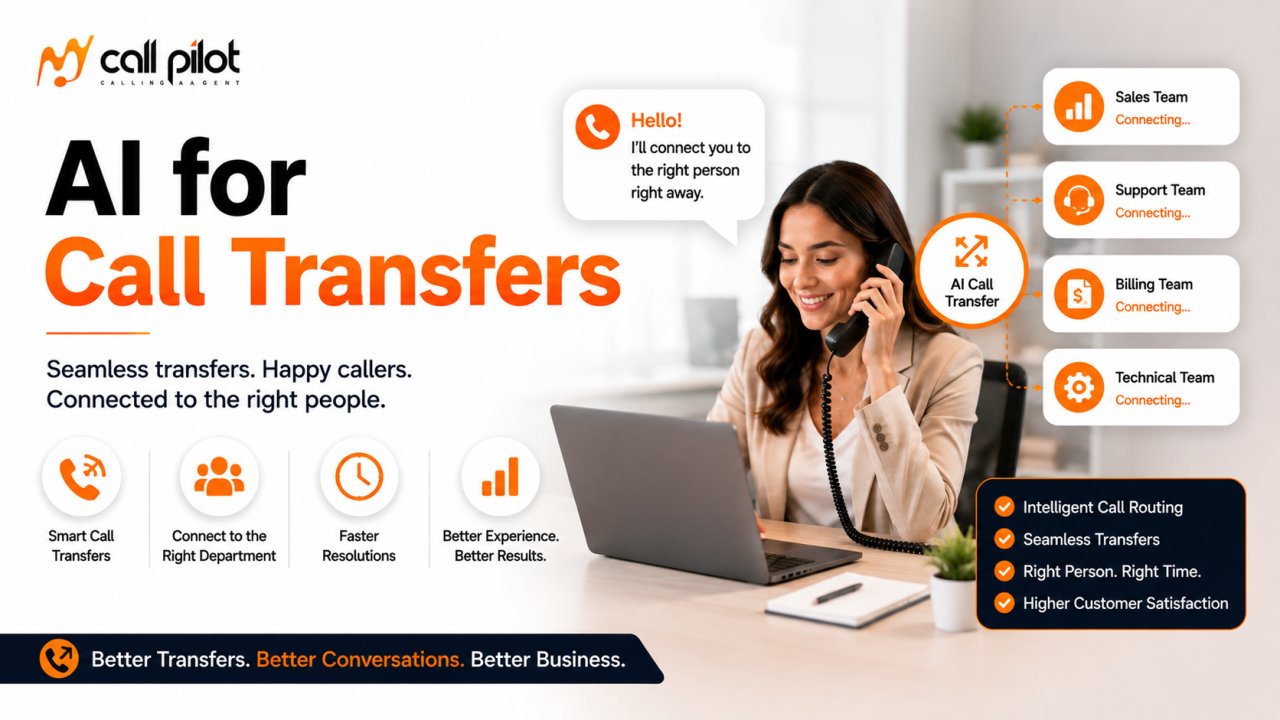
AI for Call Transfers helps businesses decide when a caller needs a person and where that conversation should go next.
Instead of sending every caller through the same phone menu, AI can listen to the conversation, identify the caller's intent, apply your routing rules, and direct the call toward the appropriate person or department.
The real advantage is not simply moving a call from one phone number to another.
It is making the handoff more intelligent.
What Is AI for Call Transfers
AI for call transfers uses conversational AI to understand a caller's request and determine whether the conversation should remain with the AI or move to a human employee, specialist, department, or another destination.
For example, a caller might say
I need to speak with someone about my invoice.
The AI can recognize that the caller needs billing support and apply the business routing rules for billing conversations.
Another caller might say
I want to speak with someone about purchasing your service.
The AI can identify a sales related intent and route the conversation accordingly.
This approach allows businesses to move beyond fixed phone menus and use the actual conversation to determine where a call should go.
Current AI call routing systems increasingly use natural language understanding to connect callers with the appropriate resource.
Why AI Call Transfers Matter
A call transfer sounds simple.
But a poor transfer can create several problems.
The caller may reach the wrong person.
The receiving employee may not know why the caller was transferred.
The caller may have to explain everything again.
The employee may transfer the call again.
The caller may become frustrated.
A better transfer process starts before the transfer itself.
AI can first understand the request and collect useful information.
Then it can determine whether the call should be transferred, captured for follow up, or handled without human involvement.
That makes call transfer part of a broader conversation workflow.
How AI Call Transfers Work
A typical AI transfer workflow can follow several stages.
Step 1: The AI answers the call
The caller begins a normal conversation with the AI.
The AI identifies itself according to the configured business experience and begins understanding the reason for the call.
Step 2: The AI identifies caller intent
The caller explains what they need.
The AI analyzes the conversation and determines the likely intent.
Examples include
• Sales inquiry
• Billing question
• Technical support
• Existing customer support
• Appointment request
• Account question
• Manager request
• Complaint
• Urgent issue
Step 3: The AI checks routing rules
The business can define which situations should be transferred.
For example
A sales inquiry goes to sales.
A billing request goes to billing.
A technical issue goes to support.
A manager request goes to management.
An urgent situation goes to the designated escalation destination.
The exact capabilities depend on the AI platform and its configuration.
Step 4: The AI decides whether transfer is appropriate
Not every call needs a human.
Some questions can be answered immediately.
Some callers may only need information.
Some requests require a specialist.
The AI can use the configured rules to determine the appropriate next step.
Step 5: The AI transfers the call
The call can be directed to the configured destination when the transfer conditions are met.
Depending on the system, transfers may be handled through different methods.
Google Cloud documentation distinguishes warm transfers from cold transfers, with warm transfers allowing the receiving agent to join before the original connection is completed.
Step 6: The human continues the conversation
The best handoff gives the receiving employee useful context.
That can include
• Caller intent
• Reason for calling
• Information already collected
• Relevant conversation details
• Account information when supported
• Other transfer information
The purpose is simple.
The caller should not have to start from the beginning.
What Is a Warm Call Transfer
A warm transfer allows the receiving employee to be contacted before the transfer is completed.
The AI can provide context to the employee before connecting the caller.
For example
This caller is an existing customer asking about an invoice from last month.
The employee can then answer the call with an understanding of the situation.
Warm transfers are widely used in contact center systems because they allow the receiving agent to receive context before taking over the conversation.
When should you use a warm transfer
Warm transfers can be useful when
• The issue is complex
• The caller is valuable
• The receiving employee needs context
• The conversation is sensitive
• The caller should not have to repeat information
• The business wants a smoother handoff
What Is a Cold Call Transfer
A cold transfer sends the caller directly to the selected destination without keeping the original agent involved in the handoff.
This can be useful when the destination is obvious and the business wants speed.
For example
A caller asks for the billing department.
The AI identifies the request.
The AI sends the caller directly to billing.
The employee receives the call and handles it from there.
Cold transfers can be appropriate for simple and predictable routing situations. Google Cloud documentation describes cold transfers as assigning the caller to another agent or queue without the original agent remaining on the line.
Warm Transfer vs Cold Transfer
| Factor | Warm Transfer | Cold Transfer |
|---|---|---|
| Human receives context | Usually possible | Usually limited |
| Transfer speed | Can take longer | Usually faster |
| Best for complex calls | Yes | Less suitable |
| Best for simple routing | Possible | Often suitable |
| Caller experience | More guided | More direct |
| Human preparation | Higher | Lower |
| AI involvement during handoff | More involved | Minimal |
The right method depends on your business.
A company handling complex sales or support conversations may benefit from warm transfers.
A high volume business with simple department routing may prefer cold transfers for appropriate calls.
The Most Important Question Is Not Warm or Cold
Businesses often ask whether they should use warm or cold transfers.
That is important.
But it is not the first question.
The first question is
Which calls should be transferred at all
An AI receptionist should not transfer every conversation simply because a human is available.
If a caller asks about business hours, the AI may be able to answer.
If a caller asks about a complicated account issue, a human may be appropriate.
If a caller requests a specific employee, the call may need direct routing.
If the AI cannot confidently determine the caller's intent, a fallback workflow may be safer.
Good transfer design starts with clear routing decisions.
AI Call Transfer Based on Caller Intent
Traditional phone systems often depend on keypad selections.
The caller hears a menu.
The caller chooses an option.
The system sends the call to a destination.
AI can use conversational intent instead.
A caller can simply explain what they need.
For example
I am calling because my payment was charged twice.
The AI can recognize a billing issue.
Another caller might say
I want to know whether your team can help me with a new project.
The AI can identify a sales opportunity.
Another caller might say
I have already spoken to support and need to speak with a manager.
The AI can apply the escalation rules.
Current AI transfer platforms increasingly support routing based on caller intent and configurable conditions.
AI Can Help Reduce Misrouted Calls
A misrouted call creates friction for everyone.
The caller explains the problem.
The wrong employee answers.
The employee realizes that someone else should handle it.
The call gets transferred again.
The caller explains the issue again.
AI can reduce this problem by identifying the purpose of the conversation before selecting the destination.
That does not guarantee perfect routing.
It does create an opportunity to make routing more intelligent than a fixed menu.
AI Call Transfers With Context
One of the most useful parts of an AI handoff is context.
Imagine that a customer spends three minutes explaining an issue to an AI receptionist.
The AI transfers the call.
The employee answers.
If the employee immediately asks
How can I help you
the caller may feel that the previous conversation was wasted.
A contextual transfer can instead give the employee information about the conversation.
For example
Caller reason
Billing dispute
Customer status
Existing customer
Request
Review a duplicate charge
Previous information
Caller already provided account details
The receiving employee can then continue the conversation with less repetition.
Current AI voice platforms increasingly advertise transfer context such as intent, transcript information, and caller metadata.
What Happens When Nobody Answers
This question is often overlooked.
A transfer system should have a plan for failed transfers.
Suppose the AI sends a caller to sales.
Nobody answers.
What happens next
A good workflow should define the next action.
Possible outcomes include
• Return the caller to the AI
• Offer a callback
• Take a message
• Route to another destination
• Send a notification
• Move the caller to a queue
• Follow an after hours workflow
The correct option depends on the business.
The important thing is to define the fallback before the system goes live.
Some current AI transfer platforms explicitly provide fallback behavior when a transfer target is unavailable.
AI Call Transfers During Business Hours
Your transfer rules should reflect your actual operating hours.
For example
During business hours
Sales calls go to sales.
Support calls go to support.
Billing calls go to billing.
Manager requests go to the designated manager.
Outside business hours
The AI may answer routine questions.
It may capture messages.
It may provide approved information.
It may follow a specific urgent call procedure.
Business hour rules are already supported by some AI phone platforms that allow transfer behavior to change depending on operating hours.
AI Call Transfers for Sales Teams
Sales calls can benefit from intelligent routing because speed and relevance matter.
An AI system can identify whether a caller is
• A new prospect
• An existing customer
• Asking about pricing
• Requesting a demonstration
• Asking about a specific product
• Following up on an existing opportunity
The business can then determine which sales destination should receive the call.
A high value prospect may require a different routing path from a general information request.
The important part is to define those rules before deployment.
AI Call Transfers for Customer Support
Customer support teams often have several different types of calls.
A caller may need
• Technical support
• Billing assistance
• Account support
• Order information
• A manager
• General information
AI can identify the reason for the call and direct it according to the support structure.
This can reduce the number of calls that reach the wrong queue.
AI Call Transfers for Service Businesses
Service businesses often receive calls that need to reach different people.
A caller might need
• A new estimate
• Existing job information
• Billing assistance
• Appointment changes
• A technician
• A manager
AI can use the caller's stated reason to determine which workflow should apply.
For a small team, this can be particularly useful because employees may not have dedicated departments.
In that situation, the AI can route based on employee responsibility rather than traditional departments.
AI Call Transfers for Professional Services
Professional firms often receive calls where the correct destination depends on the subject.
Examples include
• New business
• Existing client support
• Billing
• Scheduling
• Account management
• Management requests
AI can collect enough information to determine where the call belongs before transferring it.
For sensitive conversations, businesses should establish clear rules around identity verification and information disclosure.
AI Call Transfers for Healthcare
Healthcare organizations need especially careful transfer rules.
The AI may help identify administrative intent such as
• Appointment scheduling
• Office information
• Billing
• Records requests
• General administrative questions
But clinical concerns require appropriate human handling.
The system should not independently make medical decisions simply because it can recognize certain words.
Healthcare organizations should also evaluate privacy, security, consent, recording practices, and applicable regulatory requirements before implementing automated voice workflows.
AI Should Know When Not to Transfer
Automation does not mean every caller should be sent to a human.
A well designed AI system should have several possible outcomes.
Handle
The AI answers the request itself.
Transfer
The caller needs a specific person or department.
Capture
The caller's information is collected for follow up.
Escalate
The conversation requires immediate human attention.
Decline
The request falls outside the system's approved capabilities.
This approach is more practical than designing an AI system around one outcome.
Current 2026 guidance on AI receptionist routing increasingly emphasizes clear rules for handling, transferring, capturing, and escalating calls.
What Information Should Be Passed During a Transfer
The receiving employee should receive only the information necessary to continue the conversation.
Useful context can include
• Caller name
• Caller intent
• Reason for transfer
• Important details already provided
• Customer status
• Relevant account information when supported
• Urgency
• Requested department
• Conversation summary
The exact information available depends on the technology.
The principle is straightforward.
Transfer the conversation and the useful context together.
Common AI Call Transfer Mistakes
Transferring Too Early
If the AI transfers before understanding the request, the receiving employee may still need to discover the reason for the call.
Transferring Too Late
If the caller spends too long with AI before reaching a person, frustration can increase.
No Human Fallback
If the destination does not answer, the caller should not be abandoned.
No Context
A transfer without useful context can make the handoff feel disconnected.
Too Many Routing Rules
Overly complicated rules can become difficult to maintain.
No Testing
A routing workflow should be tested using realistic conversations before customers depend on it.
How to Build Better AI Transfer Rules
Start with the calls your business receives most often.
Create categories.
For example
Sales
New business inquiries
Support
Existing customer problems
Billing
Payment and invoice questions
Management
Requests for a manager
General
Routine information
Then define what should happen for each category.
| Caller Intent | AI Action | Destination |
|---|---|---|
| New sales inquiry | Transfer | Sales |
| Billing question | Transfer | Billing |
| Routine question | Answer | AI |
| Manager request | Escalate | Manager |
| Unknown request | Clarify | AI |
| Transfer unavailable | Capture | Callback |
The exact routing structure should reflect your business.
How to Evaluate an AI Call Transfer Solution
Before choosing a provider, ask these questions.
Can it understand natural language
Test real caller statements rather than scripted sentences.
Can it route by intent
Find out whether routing depends only on keypad selections or can use conversational understanding.
Can it transfer to people and departments
Verify the destinations supported by the platform.
Can it perform warm transfers
If context is important, verify how the warm transfer actually works.
Can it pass context
Ask what information reaches the receiving employee.
What happens if nobody answers
Understand the fallback workflow.
Can transfer rules change by business hours
This matters for after hours support.
Can callers request a human
A clear human escalation path should be available where appropriate.
Can you control the routing rules
Your business should be able to define who receives which calls.
Can you test the system
Testing realistic conversations is one of the most important steps before launch.
AI Call Transfers and Customer Experience
A successful transfer should feel like one continuous conversation.
The caller should not feel like they are being passed from system to system.
That means the experience should ideally have
Clear intent recognition
Appropriate routing
Minimal repetition
Useful context
Fast human handoff
Reliable fallback
The technology matters.
But the workflow matters even more.
Why My Call Pilot
My Call Pilot can be evaluated as part of a broader AI phone workflow for businesses that want more intelligent handling of incoming calls.
The most important consideration is how your actual call routing process works.
Start by identifying
• Which calls should AI handle
• Which calls should be transferred
• Which departments should receive them
• Which situations require escalation
• What information should reach employees
• What should happen when nobody answers
• What should happen outside business hours
This creates a practical foundation for evaluating an AI call transfer solution.
Specific My Call Pilot transfer functionality, integrations, pricing, and technical capabilities should be confirmed against the current product configuration before publication.
Frequently Asked Questions
What is AI for call transfers
AI for call transfers uses conversational artificial intelligence to understand why someone is calling and determine whether the call should remain with the AI or be transferred to a human, department, specialist, or another destination.
Can AI transfer a caller to a human
Yes. Modern AI voice platforms can support transfers to human agents or designated destinations. The exact transfer methods and supported destinations vary by provider.
What is a warm transfer
A warm transfer allows the receiving employee to join the conversation before the transfer is completed. This can give the employee an opportunity to receive context about the caller and prepare for the conversation.
What is a cold transfer
A cold transfer sends the caller directly to the selected destination without the original AI or agent remaining involved in the handoff. It can be useful for simple routing situations.
Can AI transfer calls based on what the caller says
Yes. AI call routing can use natural language understanding to identify caller intent and apply routing rules.
Can AI transfer calls to different departments
Yes, depending on the platform. Some AI phone systems allow businesses to configure departments and destination numbers and then route callers based on what they say.
Can AI give the human employee information before transferring
Some platforms can pass information such as caller intent, conversation details, transcript information, or other metadata during a transfer. The exact context available depends on the platform and integration.
What happens if nobody answers the transferred call
The workflow should have a fallback. Depending on the system, the caller may return to the AI, receive an alternative destination, leave a message, or request a callback. Some current AI platforms explicitly support fallback behavior for unsuccessful transfers.
Can AI decide not to transfer a call
Yes. A properly configured workflow can allow AI to answer routine questions while transferring only calls that meet specific conditions.
Can AI transfer urgent calls
It can support urgent call escalation when appropriate rules have been configured. Businesses should define clear escalation conditions and ensure that urgent situations reach an appropriate human destination.
Is AI call transfer better than a traditional phone menu
It can provide a more conversational experience because callers can explain what they need instead of navigating a fixed menu. However, traditional menus can still be useful for simple and predictable routing.
Give Every Call the Right Next Step
A call transfer should not feel like the caller is being passed around.
The best experience is one where the system understands the request, identifies the right destination, provides useful context, and gets the right person involved when human attention is actually needed.
AI can make that process more intelligent.
Your team can stay focused on the conversations that require human expertise.