On this page (77)
- AI Receptionist for Your Business
- What Is an AI Receptionist?
- Why Businesses Are Looking at AI Receptionists
- What Can an AI Receptionist Do?
- Answer Incoming Calls
- Answer Common Questions
- Capture Leads
- Schedule Appointments
- Route Calls
- Handle After-Hours Calls
- AI Receptionist vs Voicemail
- AI Receptionist vs Human Receptionist
- AI Receptionist vs Virtual Receptionist
- The Real Value of an AI Receptionist
- Call → Voicemail → Callback later → Customer may already choose another provider
- A Better Way to Think About Missed Calls
- Inbound calls
- How Much Does an AI Receptionist Cost?
- What Should You Calculate?
- Monthly inbound calls
- How to Choose an AI Receptionist
- 1. Review Your Call Volume
- 2. Identify Your Repetitive Calls
- 3. Define Human Escalation
- 4. Verify the Business Knowledge
- 5. Test Real Conversations
- Questions to Ask Before Buying
- When an AI Receptionist Makes Sense
- When an AI Receptionist May Not Be the Right Choice
- AI Receptionist for Different Industries
- Home Services
- Healthcare and Dental Practices
- Real Estate
- Legal Services
- Property Management
- Professional Services
- AI Receptionist for Small Business
- Does an AI Receptionist Replace Employees?
- How My Call Pilot Fits Into the AI Receptionist Category
- Explore My Call Pilot
- A Practical AI Receptionist Implementation Framework
- Step 1: Map Your Existing Calls
- Step 2: Identify Automatable Conversations
- Step 3: Define the Knowledge Base
- Step 4: Define Failure Handling
- Step 5: Test Before Going Live
- Step 6: Monitor and Improve
- The Difference Between Answering Calls and Handling Calls
- Lead → Qualification
- Appointment request → Booking workflow
- Existing customer → Correct destination
- Urgent issue → Escalation
- Unknown request → Human assistance
- AI Receptionist ROI Calculator Framework
- Monthly inbound calls
- Common AI Receptionist Mistakes
- Choosing the Cheapest Plan
- Automating Everything
- Ignoring Human Escalation
- Using Outdated Business Information
- Measuring Only Call Volume
- Forgetting After-Hours Rules
- Failing to Test Edge Cases
- Treating AI as a Finished Project
- Frequently Asked Questions
- What is an AI receptionist?
- How does an AI receptionist work?
- Can an AI receptionist answer calls 24/7?
- Can an AI receptionist book appointments?
- Can an AI receptionist transfer calls to a human?
- Will callers know they are speaking with AI?
- How much does an AI receptionist cost?
- Is an AI receptionist better than a human receptionist?
- Can an AI receptionist replace voicemail?
- Is an AI receptionist good for small businesses?
- What should I look for in an AI receptionist?
- Ready to Evaluate Your Phone Workflow?
AI Receptionist for Your Business
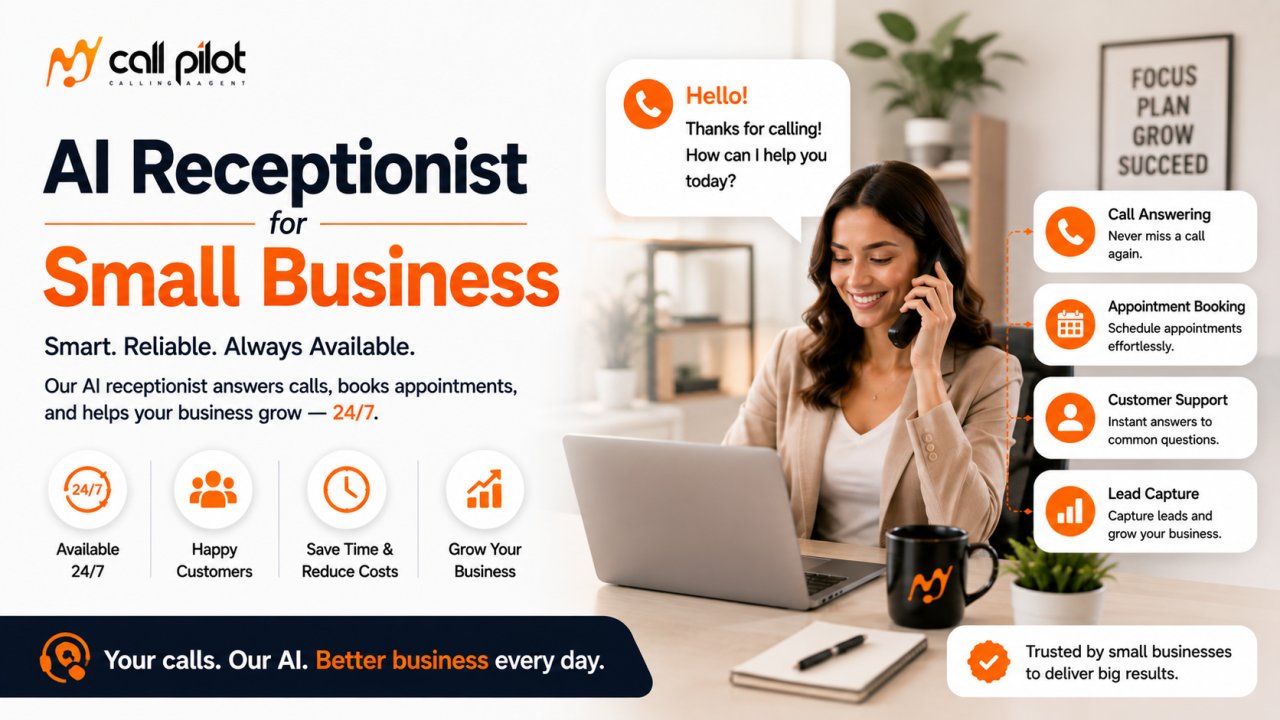
An AI receptionist is an AI-powered voice system that answers business phone calls and interacts with callers using natural language. Depending on its configuration, it can help answer common questions, collect caller information, schedule appointments, route conversations, take messages and support other front-desk workflows.
For businesses that rely on inbound calls, the value is bigger than simply answering the phone. The right AI receptionist can become the first layer of your customer experience, helping callers get useful answers without forcing your staff to stop what they are doing every time the phone rings.
What Is an AI Receptionist?
An AI receptionist is a virtual receptionist powered by conversational artificial intelligence and voice technology.
Instead of sending every caller to voicemail or requiring an employee to answer every call manually, an AI receptionist can conduct a two-way conversation with the caller.
A typical conversation may involve:
-
Greeting the caller
-
Understanding why they are calling
-
Answering approved business questions
-
Collecting contact information
-
Qualifying an inquiry
-
Scheduling or requesting an appointment
-
Taking a message
-
Routing a call when appropriate
-
Providing information about services or business policies
-
Handling routine questions outside normal staff availability
The exact capabilities depend on the system, configuration, business knowledge, integrations and workflows available.
That distinction matters.
An AI receptionist should not be evaluated simply by asking whether it can "answer the phone." The better question is:
What useful work can it complete during the conversation?
That is where an AI receptionist can become more valuable than traditional voicemail or a basic automated phone menu.
Why Businesses Are Looking at AI Receptionists
For many businesses, the phone remains an important customer and sales channel.
A caller may be trying to book an appointment, ask about availability, request a quote, check business hours, find out whether a service is offered, or speak with someone about an urgent issue.
When the team is busy, that call competes with the work already happening.
A receptionist can help, but hiring additional staff creates its own considerations, including wages, schedules, training, coverage, turnover and periods when call volume does not justify another full-time role.
The BLS lists 2024 median pay for U.S. receptionists at $37,230. That figure is wage data rather than the complete employer cost of a receptionist, so businesses should not treat it as a direct comparison with software pricing. It does, however, illustrate why companies may evaluate different approaches to front-desk coverage.
At the same time, AI should not automatically be viewed as a replacement for every receptionist.
A better model for many businesses is:
AI handles suitable routine conversations → humans handle situations that require judgment, empathy, authority, or specialized expertise.
That human-plus-AI approach can allow a team to extend its phone coverage without forcing employees to spend their entire day answering repetitive calls.
What Can an AI Receptionist Do?
The answer depends on the platform and how it has been configured.
However, the most useful AI receptionist workflows generally fall into several categories.
Answer Incoming Calls
The basic job is straightforward: give callers somewhere to go when they call your business.
Instead of immediately reaching voicemail, an eligible caller can interact with an AI voice agent that understands spoken requests and responds conversationally.
This can be especially useful when employees are:
-
Already on another call
-
Serving customers in person
-
Working away from the phone
-
In meetings
-
Handling urgent operational tasks
-
Outside normal business hours
Answer Common Questions
Businesses receive many questions that do not necessarily require a member of staff.
Examples include:
-
What are your business hours?
-
Where are you located?
-
What services do you provide?
-
Do you serve my area?
-
How can I book an appointment?
-
What information should I provide before an appointment?
-
What happens next?
-
How can I contact the right department?
The important requirement is accuracy.
An AI receptionist should only provide information that has been properly configured or connected to reliable business information. If it does not know an answer, the workflow should provide an appropriate fallback rather than encouraging the system to guess.
Capture Leads
A phone call can contain valuable lead information.
An AI receptionist can potentially collect details such as:
-
Name
-
Phone number
-
Reason for calling
-
Requested service
-
Preferred appointment time
-
Location
-
Basic project information
-
Urgency
-
Other qualifying information
The exact information collected should match the business process.
For a home-service company, the important questions may be about the property and requested job.
For a dental practice, the workflow may focus on appointment type and scheduling.
For a professional service firm, the important information may involve the nature of the inquiry and the appropriate person to contact.
Schedule Appointments
Appointment scheduling is one of the clearest use cases for conversational phone automation.
Instead of simply telling a caller to visit a website, an appropriately configured system can guide the conversation toward an appointment.
Where calendar functionality is available, the system may be able to work with defined availability and scheduling rules.
Before purchasing any AI receptionist, verify exactly how scheduling works.
Ask:
-
Which calendars are supported?
-
Does the system check real-time availability?
-
Can different employees have different schedules?
-
Can appointment types have different durations?
-
Can buffers be configured?
-
Can cancellations or rescheduling be handled?
-
What happens when no suitable appointment is available?
These details matter more than simply seeing "appointment booking" on a feature list.
Route Calls
Not every caller should remain with an AI system.
Some conversations need a person.
Call routing can help direct appropriate callers toward the correct destination based on the business's rules.
Possible examples include:
-
Sales inquiries
-
Existing customers
-
Billing questions
-
Urgent requests
-
Specific departments
-
Staff members
-
After-hours contacts
The goal is not to keep every caller away from humans.
The goal is to make sure the caller reaches the right place without unnecessary friction.
Handle After-Hours Calls
Your customers do not necessarily call only when your employees are available.
An AI receptionist can potentially provide a layer of phone coverage outside normal operating hours, depending on configuration.
This can help businesses:
-
Capture inquiries after closing
-
Provide basic information
-
Collect messages
-
Identify urgent requests
-
Begin appointment workflows
-
Give callers a clear next step
After-hours handling should be designed carefully for each business.
A medical practice, property manager, HVAC company and law firm may have completely different definitions of an urgent call.
AI Receptionist vs Voicemail
Voicemail records a message.
An AI receptionist can have a conversation.
| Capability | Voicemail | AI Receptionist |
|---|---|---|
| Answers automatically | Yes | Yes |
| Holds a conversation | No | Yes |
| Answers routine questions | No | Depending on configuration |
| Collects structured information | Limited | Yes, depending on workflow |
| Can qualify inquiries | No | Yes, depending on configuration |
| Appointment workflow | No | Possible, depending on integration |
| Call routing | Limited | Possible |
| After-hours coverage | Yes | Yes |
| Human escalation | Caller leaves a message | Possible, depending on configuration |
Voicemail still has a place.
If a caller simply needs to leave a message, it may be enough.
But when callers expect an immediate answer or need to complete a task, voicemail creates another step between the customer and the business.
An AI receptionist can reduce that friction when the workflow is designed properly.
AI Receptionist vs Human Receptionist
The most useful comparison is not "AI or human."
It is:
Which tasks should AI handle and which tasks should humans handle?
| Task | AI Receptionist | Human Receptionist |
|---|---|---|
| Routine questions | Strong fit | Strong fit |
| Repetitive call handling | Strong fit | Possible but time-consuming |
| 24/7 availability | Possible | Requires staffing |
| Complex judgment | Limited | Strong |
| Emotional or sensitive conversations | Limited | Strong |
| Business-specific exceptions | Depends on configuration | Stronger flexibility |
| High-volume repetitive calls | Strong fit | Staffing required |
| Personal relationship building | Limited | Strong |
| Escalation | Possible | Strong |
| Physical front-desk duties | No | Yes |
A business should not choose AI because it is fashionable.
It should choose AI when the work being automated is predictable enough, valuable enough and structured enough for automation to make operational sense.
AI Receptionist vs Virtual Receptionist
The terms are sometimes used interchangeably, but they can describe different services.
A traditional virtual receptionist generally involves human staff answering calls remotely on behalf of a business.
An AI receptionist uses software and artificial intelligence to conduct the conversation.
The distinction affects:
-
Availability
-
Staffing model
-
Scalability
-
Cost structure
-
Conversation flexibility
-
Human escalation
-
Implementation
-
Data handling
-
Customization
Neither approach is automatically better for every business.
A company that receives sensitive, unusual, or highly complex calls may place greater value on human answering.
A business with a large volume of repetitive inquiries may benefit from automation.
Some organizations may ultimately use both.
The Real Value of an AI Receptionist
The strongest business case is not "AI answers calls."
The stronger case is:
AI can turn phone conversations into completed business workflows.
Consider a simple example.
A prospective customer calls a service business.
Without an effective answering workflow:
Call → Voicemail → Callback later → Customer may already choose another provider
With a suitable AI receptionist workflow:
Call → Conversation → Qualification → Appointment or next step → Business receives the information
The second process removes friction.
It does not guarantee a sale.
It does not guarantee conversion rates.
But it gives the business an opportunity to act while the customer is already engaged.
A Better Way to Think About Missed Calls
Do not measure missed calls only as a phone metric.
Measure them as potential business opportunities.
Use this framework:
Inbound calls
→ Calls not answered immediately
→ Potentially valuable inquiries
→ Qualified opportunities
→ Appointments or next actions
→ Potential customers
→ Customer value
This framework helps determine whether an AI receptionist is economically relevant to your business.
For example, suppose a business receives 500 inbound calls per month.
The important question is not simply whether all 500 calls were answered.
Instead, ask:
-
How many were sales opportunities?
-
How many were existing-customer questions?
-
How many required a human?
-
How many could have been handled automatically?
-
How many resulted in appointments?
-
How many were missed?
-
What is the average value of a new customer?
That gives you a much more useful basis for evaluating automation.
How Much Does an AI Receptionist Cost?
AI receptionist pricing varies significantly by provider and usage model.
Current 2026 examples in the market range from relatively low monthly plans for small call volumes to several hundred dollars per month for higher usage, advanced workflows, or business plans. Some providers price by included minutes, others by calls, tasks, or monthly subscriptions.
Common pricing models include:
-
Monthly subscription
-
Per-minute pricing
-
Per-call pricing
-
Usage-based plans
-
Tiered monthly plans
-
Enterprise pricing based on volume
-
Setup or onboarding fees
Do not compare providers by monthly price alone.
A $49 plan and a $199 plan may serve completely different call volumes and workflows.
What Should You Calculate?
Before buying, estimate:
Monthly inbound calls
× Average call duration
= Estimated monthly conversation volume
Then compare that against the provider's included usage.
Also calculate the business value of the calls being handled.
If your average new customer is worth $1,000, recovering even a small number of legitimate opportunities may matter more than saving $20 on software.
The opposite can also be true.
If your calls have very little commercial value, expensive automation may not make economic sense.
How to Choose an AI Receptionist
Do not start with the feature list.
Start with your actual phone workflow.
1. Review Your Call Volume
Look at the last several months of call data if available.
Identify:
-
Total calls
-
Peak hours
-
After-hours calls
-
Missed calls
-
Average duration
-
Repeat questions
-
Sales inquiries
-
Appointment requests
-
Emergency calls
You cannot choose the right solution without understanding the workload.
2. Identify Your Repetitive Calls
Listen for patterns.
If your employees answer the same ten questions repeatedly, those conversations may be strong candidates for automation.
If every call is unique and requires professional judgment, automation may be less suitable.
3. Define Human Escalation
Before deployment, decide when AI should stop and a human should take over.
Examples may include:
-
Sensitive customer complaints
-
Complex sales conversations
-
Legal questions
-
Medical concerns
-
Payment disputes
-
Emergency situations
-
Requests outside the system's knowledge
-
Customers explicitly requesting a human
A strong AI receptionist strategy includes escalation rather than pretending every conversation should be automated.
4. Verify the Business Knowledge
Ask how the AI gets its answers.
You should understand:
-
What information it uses
-
How information is updated
-
Who controls the information
-
What happens when information is missing
-
How inaccurate responses are prevented
-
How changes to policies are reflected
An AI receptionist is only as trustworthy as the information and rules behind it.
5. Test Real Conversations
Do not rely solely on a product demo.
Create realistic scenarios.
Try:
-
A normal customer
-
A confused customer
-
An impatient customer
-
A customer asking an unusual question
-
A caller interrupting the AI
-
A caller changing their request
-
A caller requesting a human
-
A caller asking something the AI does not know
The goal is to test behavior under realistic conditions.
Questions to Ask Before Buying
Use this checklist when evaluating an AI receptionist provider.
-
Can it answer calls naturally?
-
How does it handle interruptions?
-
What happens when it does not know an answer?
-
Can callers reach a human?
-
Can calls be routed?
-
Can it handle after-hours calls?
-
Can it schedule appointments?
-
Which calendars or business systems can it connect to?
-
Can it collect and structure lead information?
-
Are calls recorded or transcribed?
-
How is customer data handled?
-
What happens when call volume increases?
-
Is pricing based on calls, minutes, tasks, or another metric?
-
Are there setup fees?
-
What happens if the AI makes a mistake?
-
Can the business review conversations?
-
How quickly can business information be updated?
-
Can different call types follow different workflows?
-
What human escalation options exist?
-
What happens if the service is unavailable?
These questions can reveal more about a provider than a long feature list.
When an AI Receptionist Makes Sense
An AI receptionist may be a strong fit when:
-
Your business receives frequent inbound calls
-
Employees regularly miss calls while working
-
Customers call outside business hours
-
Many calls involve repetitive questions
-
Your business depends on appointments
-
Lead capture is important
-
You want a first layer of call handling
-
Your staff spends significant time answering routine inquiries
-
You need more phone coverage without immediately adding another position
The strongest fit usually occurs when calls are frequent enough to matter and structured enough to automate.
When an AI Receptionist May Not Be the Right Choice
AI is not automatically the right answer.
It may be a poor fit if:
-
Almost every call requires expert judgment
-
Customers strongly prefer speaking with a person immediately
-
Your call volume is extremely low
-
Your business has no repeatable phone workflows
-
Your information changes constantly without a process for updating the AI
-
You cannot define appropriate escalation rules
-
The cost of a conversational mistake is unusually high
-
You have not established who owns the AI's business knowledge
In these situations, a human receptionist or a hybrid model may be more appropriate.
The goal is not maximum automation.
The goal is useful automation.
AI Receptionist for Different Industries
AI receptionist workflows can vary considerably by industry.
Home Services
Plumbers, HVAC companies, electricians, cleaners, landscapers and contractors often receive calls when employees are already working.
An AI receptionist may help capture:
-
Customer details
-
Service requested
-
Location
-
Urgency
-
Preferred appointment time
-
Basic job information
The exact workflow should be tailored to the business.
Healthcare and Dental Practices
Appointment requests and routine administrative questions can create substantial front-desk workload.
However, healthcare businesses require particularly careful handling of sensitive information and clinical questions.
An AI system should not be treated as a substitute for qualified medical judgment.
Real Estate
Real-estate businesses may receive inquiries from prospective buyers, sellers, tenants and existing clients.
A configured system may help capture basic information and direct callers to the appropriate person.
Legal Services
Law firms receive inquiries that can vary dramatically in complexity.
An AI receptionist may be useful for basic intake and routing, but legal advice and sensitive matters require appropriate human handling.
Property Management
Property managers can receive maintenance requests, tenant questions, leasing inquiries and urgent calls.
A structured call workflow can help distinguish routine inquiries from situations requiring immediate escalation.
Professional Services
Consultants, agencies, accountants and other professional firms often have employees who cannot answer every call during meetings or client work.
An AI receptionist can provide a first response while preserving human involvement for conversations that require expertise.
AI Receptionist for Small Business
AI receptionist technology can be particularly relevant to small businesses because many small teams have limited front-desk capacity.
The SBA reports more than 36.2 million U.S. small businesses and its February 2026 figures show that small businesses account for 99.9% of U.S. businesses.
For a small business, the question is rarely "Can I automate everything?"
A better question is:
Which phone tasks are consuming employee time without requiring employee judgment?
That could include:
-
Repetitive questions
-
Basic lead intake
-
Appointment requests
-
Business-hour questions
-
Call routing
-
Message collection
-
After-hours inquiries
Automating those tasks can allow employees to spend more time on customers, projects, sales and work that genuinely requires them.
Does an AI Receptionist Replace Employees?
Not necessarily.
A better approach is to divide work according to what each system does well.
AI can be useful for:
-
Availability
-
Repetition
-
Structured information collection
-
Routine questions
-
Consistent workflows
-
High-volume first-line interactions
Humans remain important for:
-
Judgment
-
Empathy
-
Negotiation
-
Complex problem-solving
-
Sensitive situations
-
Relationship building
-
Exceptions
-
Accountability
Microsoft's 2025 Work Trend Index similarly describes the emerging model as human-agent collaboration rather than simply treating AI as a replacement for people. Its research found customer service among the leading areas for AI investment and reported that 46% of leaders surveyed said their organization was already using agents to automate workstreams or business processes.
The practical lesson is simple:
Automate the predictable work. Keep people responsible for the work that needs people.
How My Call Pilot Fits Into the AI Receptionist Category
My Call Pilot is the product behind this landing page, but the right buying decision should begin with your business requirements rather than a feature checklist.
If you are evaluating My Call Pilot, start by identifying the calls you want handled, the information callers need, the actions that should happen during a call and the situations that should reach your team.
Then verify which of those workflows are supported by your current My Call Pilot configuration.
Because product capabilities, integrations, pricing and availability can change, confirm the current offering directly before making a purchasing decision.
Explore My Call Pilot
A Practical AI Receptionist Implementation Framework
A successful implementation does not start with turning on the phone system.
It starts with mapping the conversation.
Step 1: Map Your Existing Calls
Categorize recent calls into groups.
For example:
-
Sales
-
Scheduling
-
Existing customers
-
Billing
-
Support
-
Directions
-
General questions
-
Urgent requests
-
Wrong numbers
-
Spam
Step 2: Identify Automatable Conversations
Find conversations that are:
-
Repetitive
-
Predictable
-
Low risk
-
Easy to explain
-
Based on stable information
These are usually better automation candidates.
Step 3: Define the Knowledge Base
Document the information callers need.
Include:
-
Services
-
Hours
-
Locations
-
Policies
-
Scheduling rules
-
Common questions
-
Contact information
-
Escalation rules
Step 4: Define Failure Handling
Decide what happens when:
-
The caller cannot be understood
-
The request is outside the system's knowledge
-
A caller becomes frustrated
-
A required person is unavailable
-
No appointment is available
-
The caller asks for a human
Step 5: Test Before Going Live
Use realistic conversations rather than simple demonstrations.
A system that performs well on predictable questions may behave differently when callers interrupt, change topics, or provide incomplete information.
Step 6: Monitor and Improve
After launch, review:
-
Call outcomes
-
Missed transfers
-
Failed conversations
-
Common unanswered questions
-
Appointment outcomes
-
Caller complaints
-
Human escalations
AI receptionist performance should be treated as an ongoing operational process rather than a one-time installation.
The Difference Between Answering Calls and Handling Calls
This is one of the most important distinctions when comparing AI receptionist platforms.
Answering a call means the system picks up.
Handling a call means the system understands why the caller contacted you and helps move the conversation toward an appropriate outcome.
Those outcomes might include:
Question → Answer
Lead → Qualification
Appointment request → Booking workflow
Existing customer → Correct destination
Urgent issue → Escalation
Unknown request → Human assistance
This is the standard you should use when evaluating an AI receptionist.
A low missed-call count is useful.
But completed customer workflows are more meaningful.
AI Receptionist ROI Calculator Framework
You can estimate the potential value of phone automation without assuming a guaranteed return.
Start with:
Monthly inbound calls
→ Potentially valuable calls
→ Currently missed or delayed calls
→ Potential qualified opportunities
→ Estimated conversion rate
→ Average customer value
→ Potential opportunity value
Then compare that opportunity value with:
-
Software cost
-
Setup cost
-
Human oversight
-
Integration cost
-
Existing phone-system expenses
-
Ongoing management
Do not assume every unanswered call would have become a customer.
Use conservative assumptions.
The purpose of the calculation is to determine whether improving call handling could be economically meaningful.
Common AI Receptionist Mistakes
Choosing the Cheapest Plan
The lowest price may not provide enough call capacity or workflow functionality.
Automating Everything
Not every conversation should be automated.
Ignoring Human Escalation
Customers should have an appropriate path to a person when the situation requires it.
Using Outdated Business Information
Incorrect hours, prices, policies, or availability can damage trust.
Measuring Only Call Volume
The goal is not simply to answer more calls.
Measure useful outcomes.
Forgetting After-Hours Rules
After-hours calls may require different handling from daytime calls.
Failing to Test Edge Cases
A system should be tested with realistic, messy conversations.
Treating AI as a Finished Project
Conversation workflows should be reviewed and improved as the business changes.
Frequently Asked Questions
What is an AI receptionist?
An AI receptionist is an AI-powered voice system that answers business calls and conducts conversations with callers. Depending on its configuration, it can answer common questions, collect information, schedule appointments, route calls, take messages and support other front-desk workflows.
How does an AI receptionist work?
A caller speaks with the system using a business phone number or connected calling infrastructure. The AI processes the conversation, identifies the caller's intent, uses its configured business knowledge and workflows and responds accordingly. More advanced configurations can connect conversations with scheduling, routing, lead capture, or other business processes.
Can an AI receptionist answer calls 24/7?
Many AI receptionist services are designed for continuous availability, including outside normal business hours. However, buyers should verify the specific provider's availability, phone infrastructure, maintenance procedures and after-hours workflow before assuming 24/7 coverage.
Can an AI receptionist book appointments?
Some AI receptionist platforms support appointment scheduling through connected calendars or booking systems. The exact functionality depends on the provider and configuration. Verify which calendars are supported and whether the system can check real-time availability before purchasing.
Can an AI receptionist transfer calls to a human?
Many systems support human escalation or call routing, but the exact transfer options vary. Before choosing a provider, confirm when transfers can occur, which destinations are supported and what happens if the requested person is unavailable.
Will callers know they are speaking with AI?
That depends on the system, configuration and disclosure approach. Businesses should determine how they want callers informed and ensure their implementation follows applicable laws, platform policies and customer-experience requirements.
How much does an AI receptionist cost?
AI receptionist pricing varies by provider, call volume, minutes, features and pricing model. Current market examples include low-cost plans for limited usage and higher-priced plans for larger call volumes and advanced functionality.
Is an AI receptionist better than a human receptionist?
Not universally. AI can be strong at repetitive, predictable, high-volume and availability-driven tasks, while humans remain better suited to complex judgment, sensitive conversations, relationship building and exceptions. Many businesses can benefit from combining both.
Can an AI receptionist replace voicemail?
It can potentially handle many situations where a business would otherwise rely on voicemail. Unlike voicemail, a conversational AI receptionist can interact with the caller and potentially complete a workflow rather than simply record a message.
Is an AI receptionist good for small businesses?
It can be a strong fit for small businesses that receive enough calls to create operational workload or missed opportunities. The best candidates generally have repeatable phone conversations, appointment needs, lead-capture requirements, or limited staff availability.
What should I look for in an AI receptionist?
Focus on conversation quality, business knowledge, escalation, call routing, scheduling, integrations, data handling, pricing, analytics, reliability and ease of updating the system. Most importantly, test realistic conversations before making a decision.
Ready to Evaluate Your Phone Workflow?
The right AI receptionist is not simply the system with the longest feature list.
It is the system that fits the way your business actually receives, handles and converts calls.
Start by identifying your highest-value phone conversations, the tasks your staff repeats most often and the situations that should always reach a human.
Then evaluate whether My Call Pilot can support those workflows in your current configuration.